Monuverse: Augmented Heritage
Role
Sole Designer · 3D Model Artist · AR Strategy & EdTech Innovation
Year
2023

01 — The Challenge: Beyond the "Cool Factor"
During a 48-hour sprint at the Smart India Hackathon, our team was tasked with a technical brief: Build an AR app to visualize Indian monuments. While the brief defined the "what," it left the "how" and "why" entirely open. As the sole designer, my challenge was to move beyond the novelty of AR and define a meaningful pedagogical framework for students who had never interacted with spatial computing.
02 — The Insight: The Archetype Split
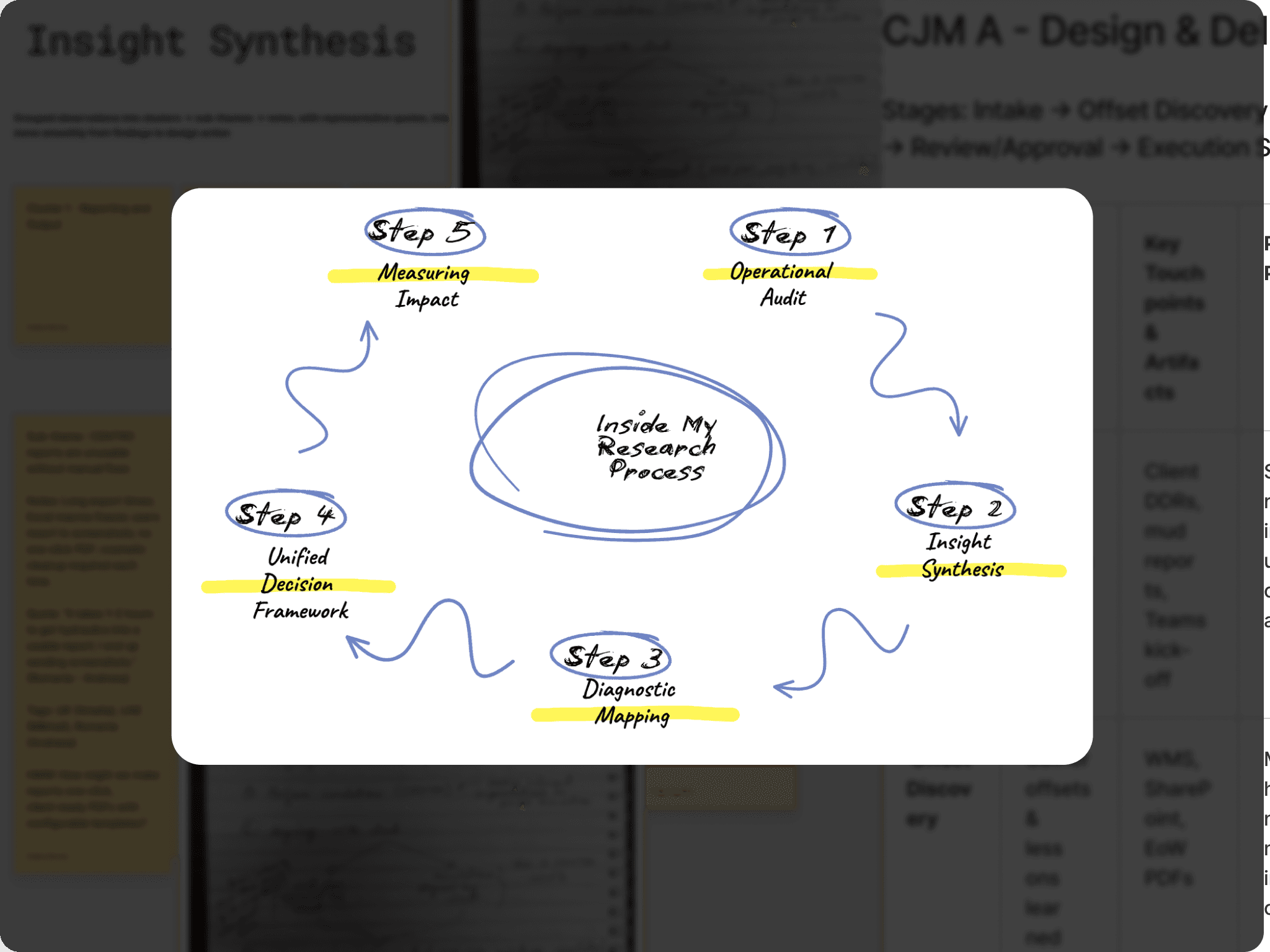
Through rapid research at the venue, I identified two core users whose needs dictated a split-interaction model. Moving beyond basic personas, I focused on their mental models and operational friction.
User Archetype | The Student (Curriculum-Led) | The Teacher (Classroom Facilitator) |
Primary Goal | Exam performance & factual retention. | Maintaining lesson flow & student engagement. |
Core Friction | Abstraction: Textbooks provide facts but fail to provide a "spatial sense" of heritage. | Tech Anxiety: Fear of losing class time to complex setups or technical failures. |
Mental Model | "I need to understand this to answer my exam, but I've never seen it." | "If this doesn't work in 30 seconds, I'm going back to the chalkboard." |
UX Response | Classroom Mode: A stable, anchored AR experience that acts as a 3D study guide. | Zero-Failure Onboarding: Instructions delivered at the point of action with no setup required. |
03 — The Strategy: Architecting for Dual Contexts
The most critical UX decision was splitting the product into two distinct interaction paradigms based on these archetypes:
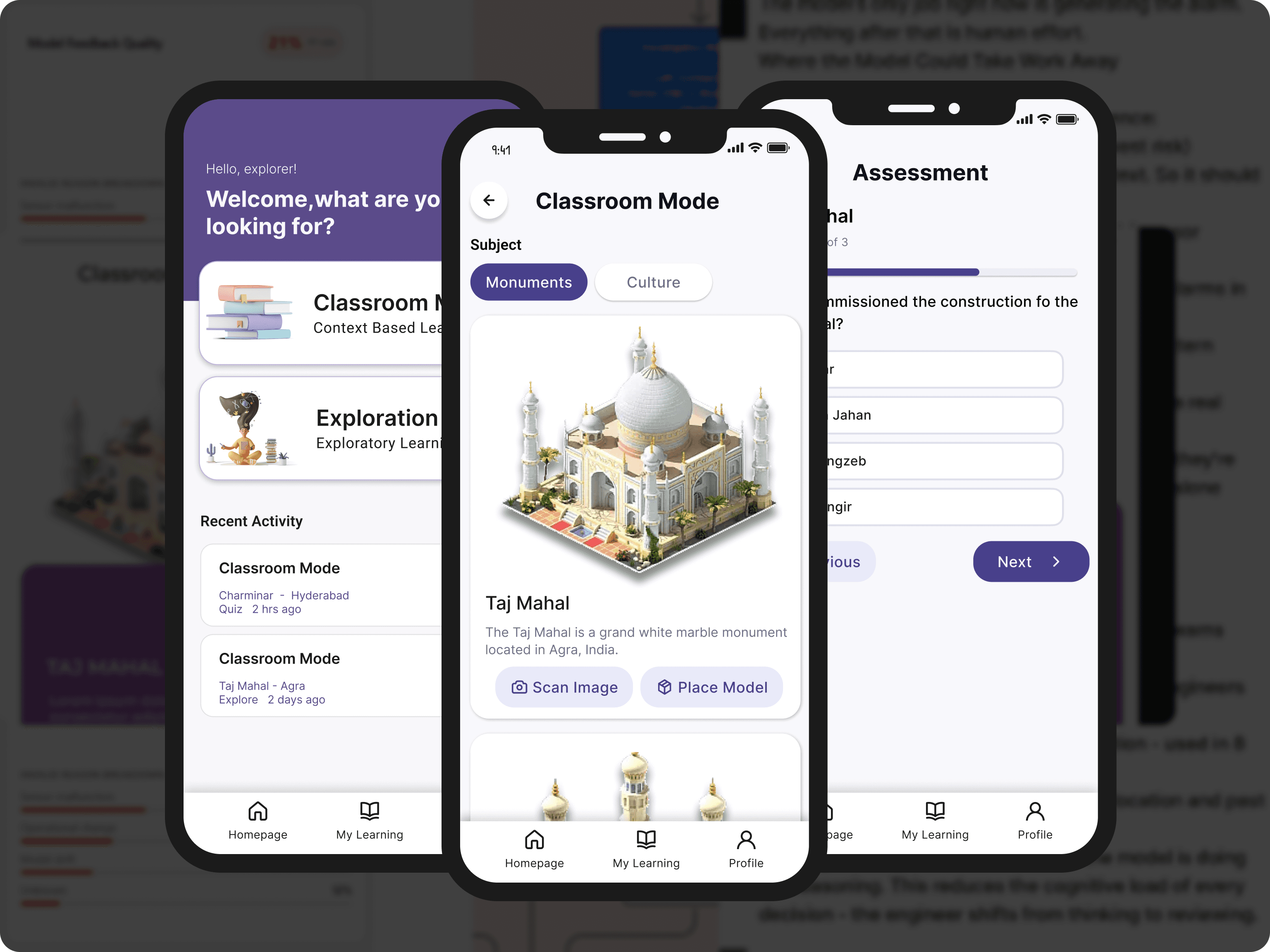
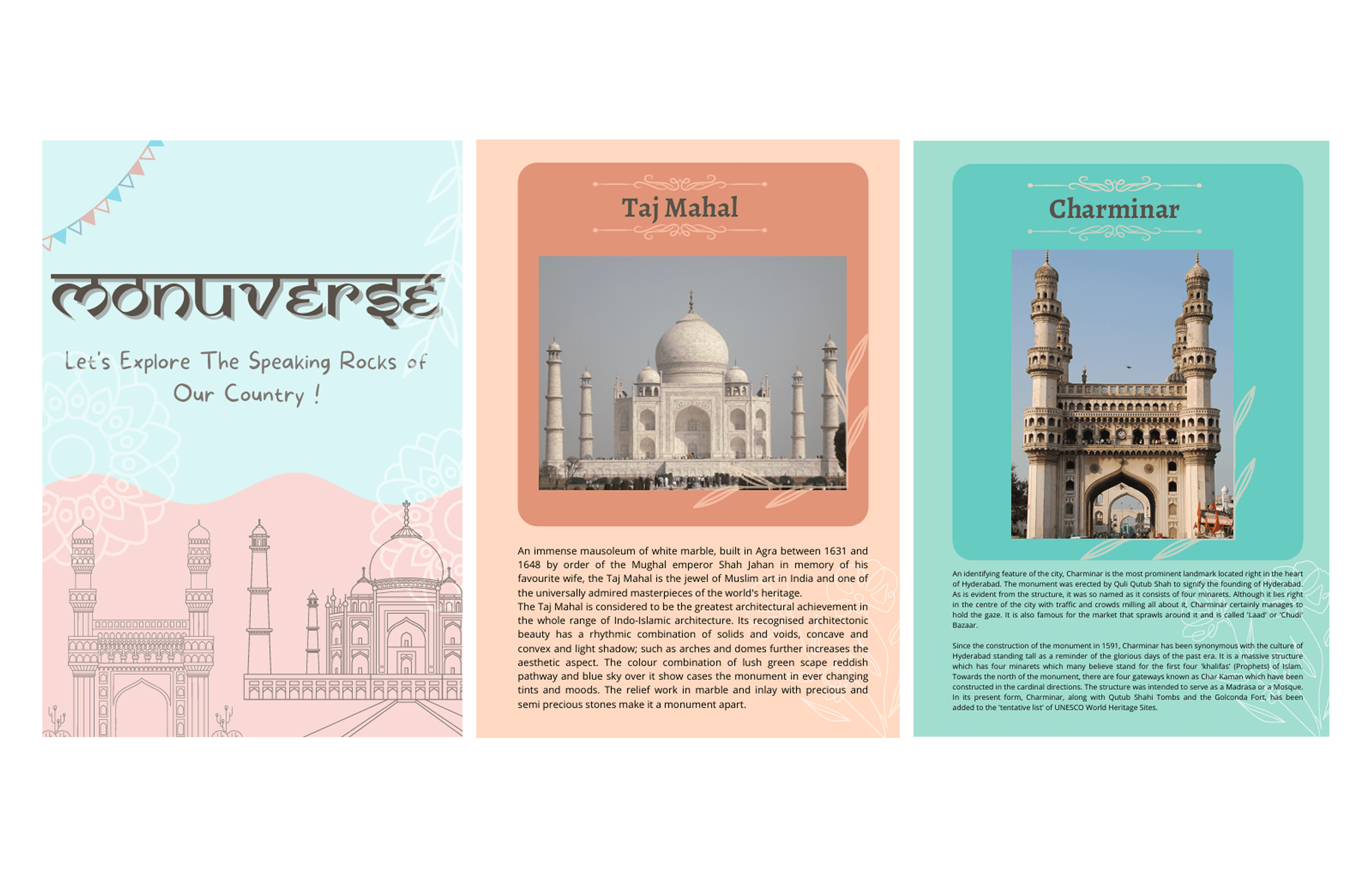
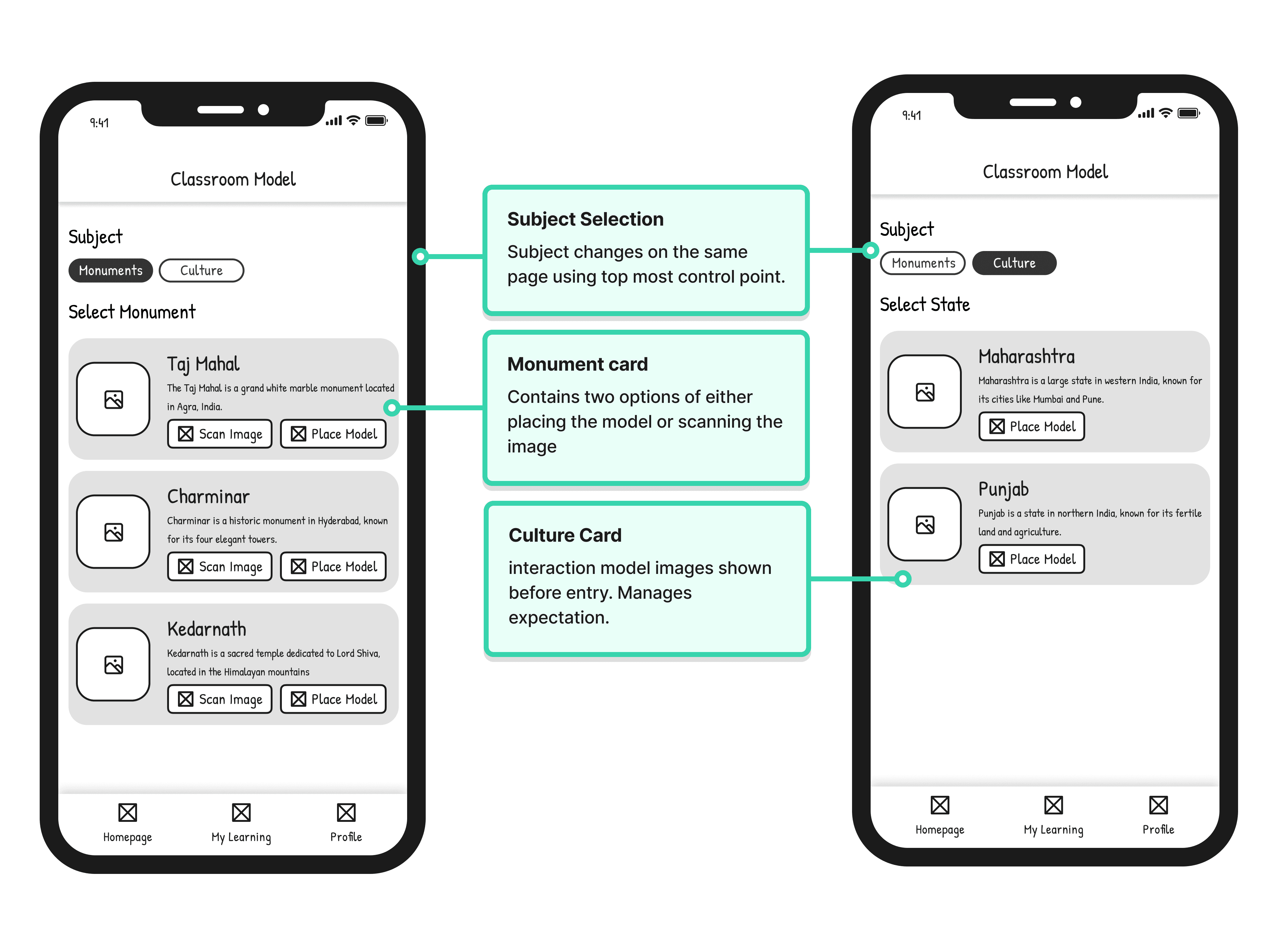
Classroom Mode (Structured & Anchored): Targeted at the student's need for syllabus alignment. Using Marker-based AR, 3D models are tethered to a physical booklet. This provides "predictability as a feature"—the model stays exactly where the page is, allowing for a zero-failure experience in a timed classroom setting.
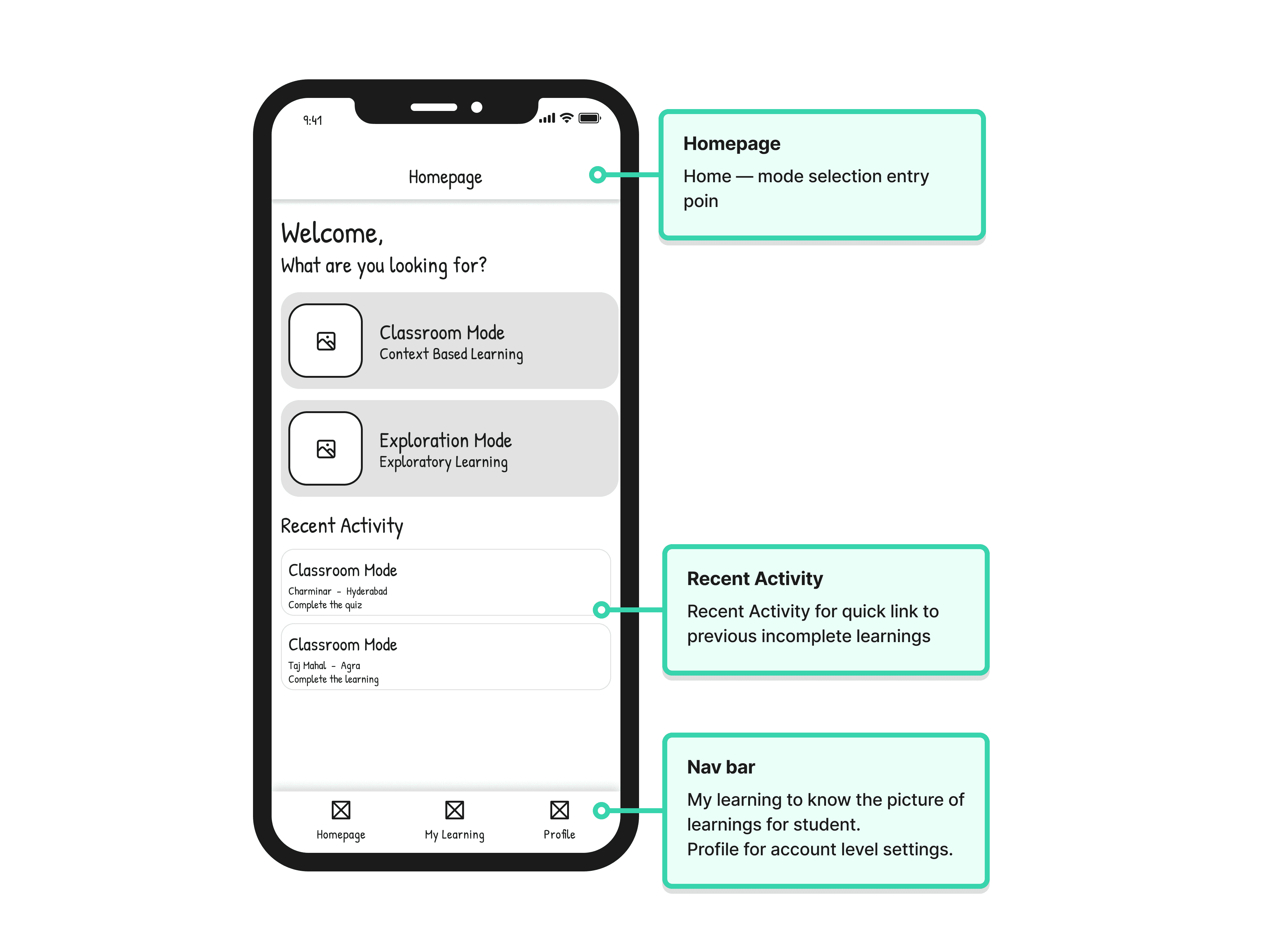
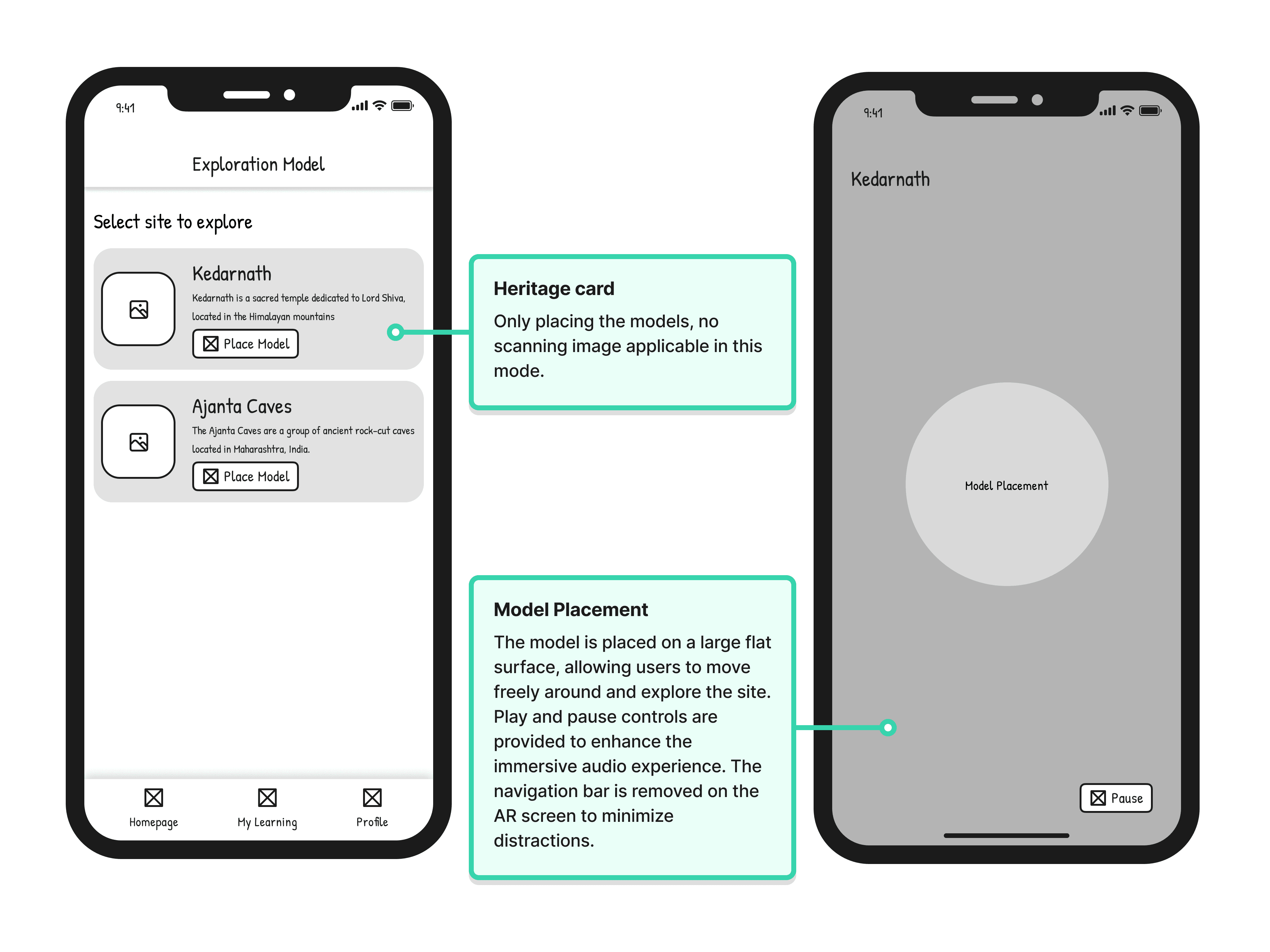
Exploration Mode (Curiosity-led & Immersive): Targeted at the teacher's goal of deep engagement. Using Plane Detection, students can place life-sized monuments in their own environment. This mode prioritizes "Presence"—incorporating ambient audio and walk-through capabilities to create an emotional connection.
04 — The Booklet as a UX Artifact
In this project, the "interface" wasn't just the app, but also it was the physical booklet. We designed a custom trigger-booklet with high-contrast imagery optimized for tracking reliability. This ensured that the transition from paper to pixels happened on the first try, reducing the technical burden on teachers.
05 — Design Principles for First-Time AR Users
Contextual Instructions: Surfacing the "Point camera at page" command only at the moment of action to reduce cognitive load.
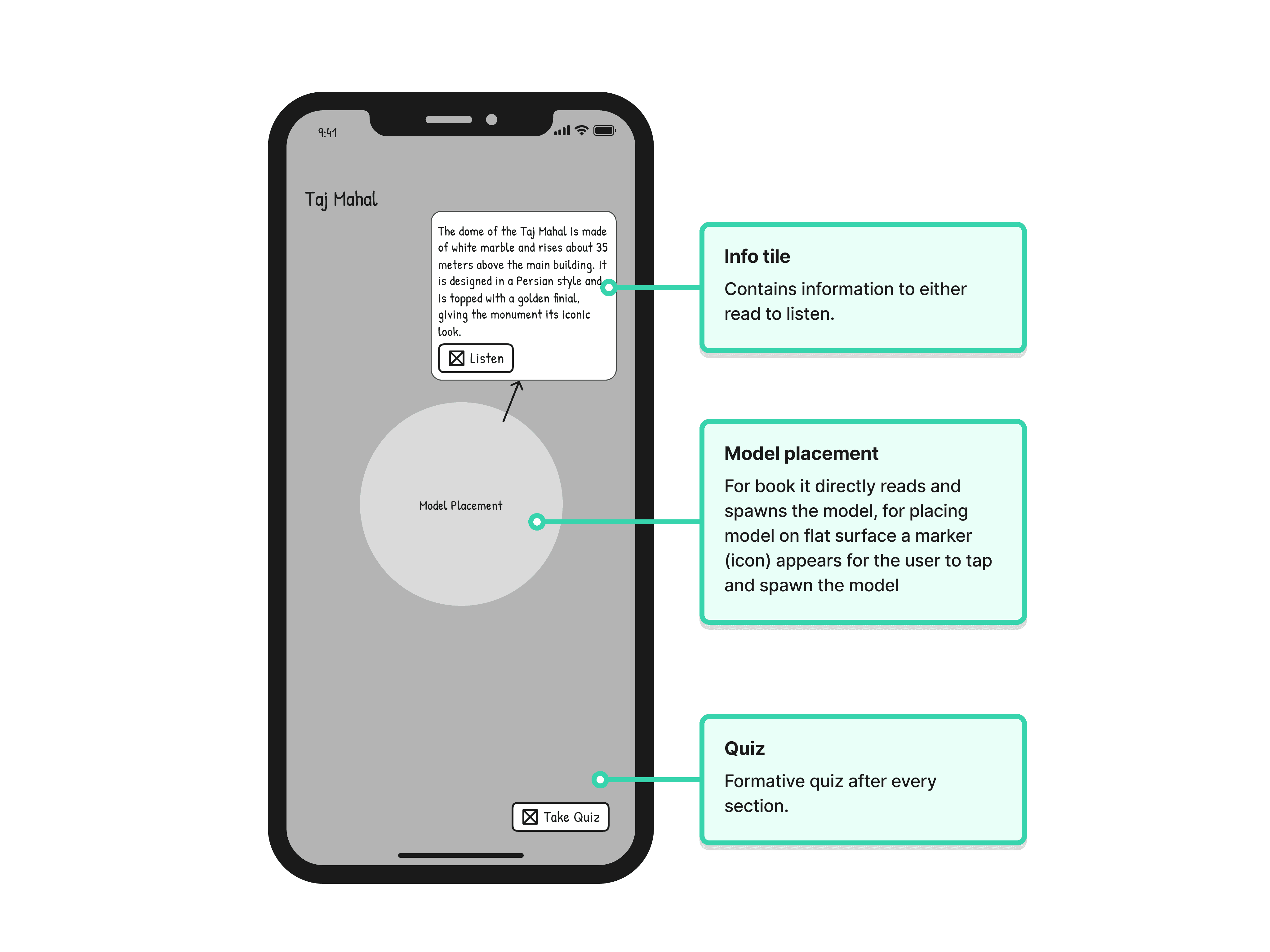
Spatial Presence over Density: To avoid overload, historical data is "tucked away" in tappable labels (hoardings) rather than crowding the viewport.
Audio as a Primary Interaction: Integrating narrated audio as a first-class feature for students who find reading in a moving AR environment difficult.
06 — Wireframing
07 — Hi Fi Screens
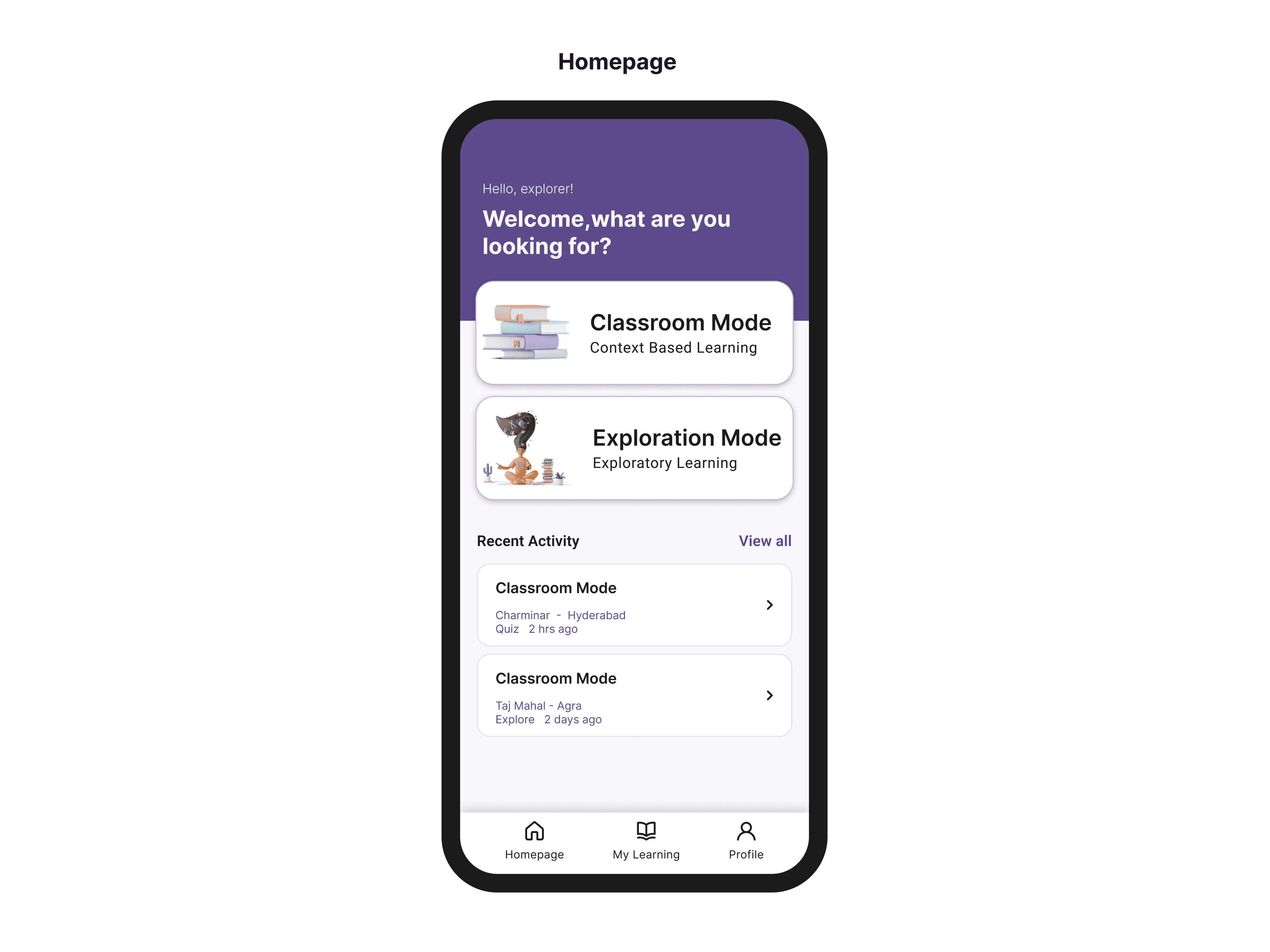
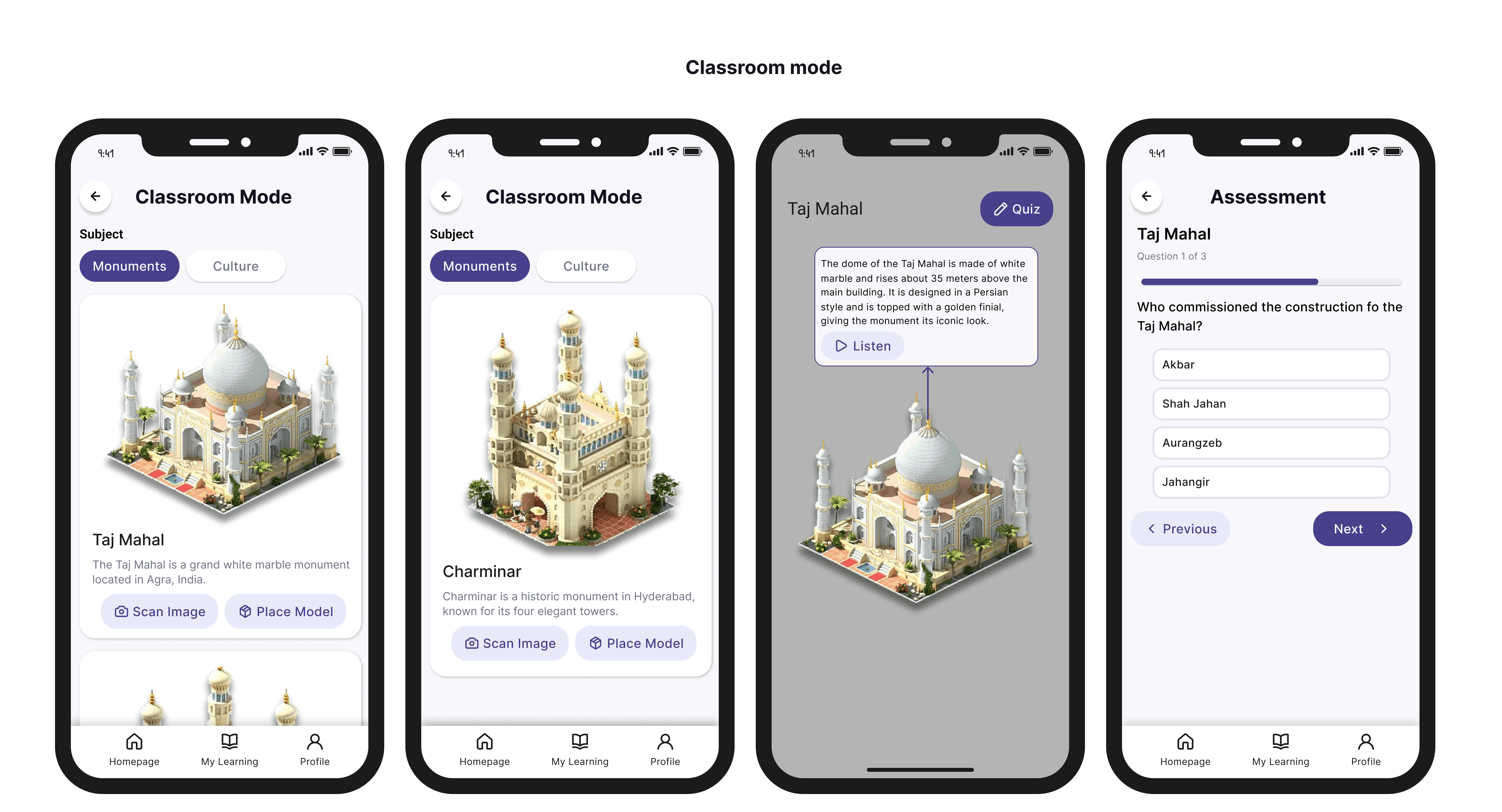
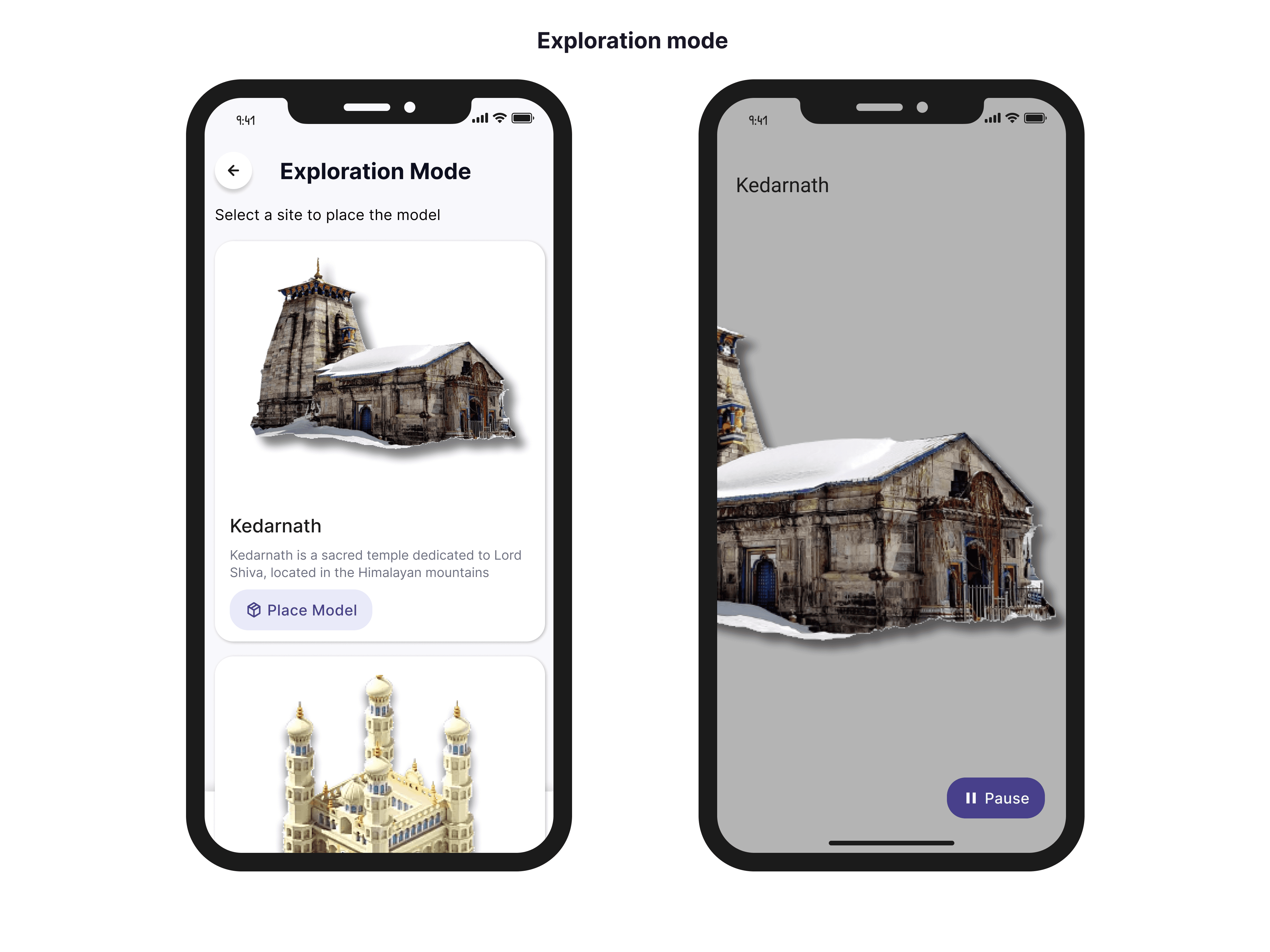
08 — Strategic Impact & Reflection
Monuverse was successfully shipped and demonstrated to a panel of experts. The success lay in the Mode Split—a strategic decision that recognized the difference between a student "studying" and a student "experiencing."
What I’d evolve for V2: In a 48-hour vacuum, we designed for the "success state." In a real-world classroom, I would prioritize Failure State Design—creating more robust feedback for when tracking fails due to poor lighting or low-end device constraints.
Scope of Work
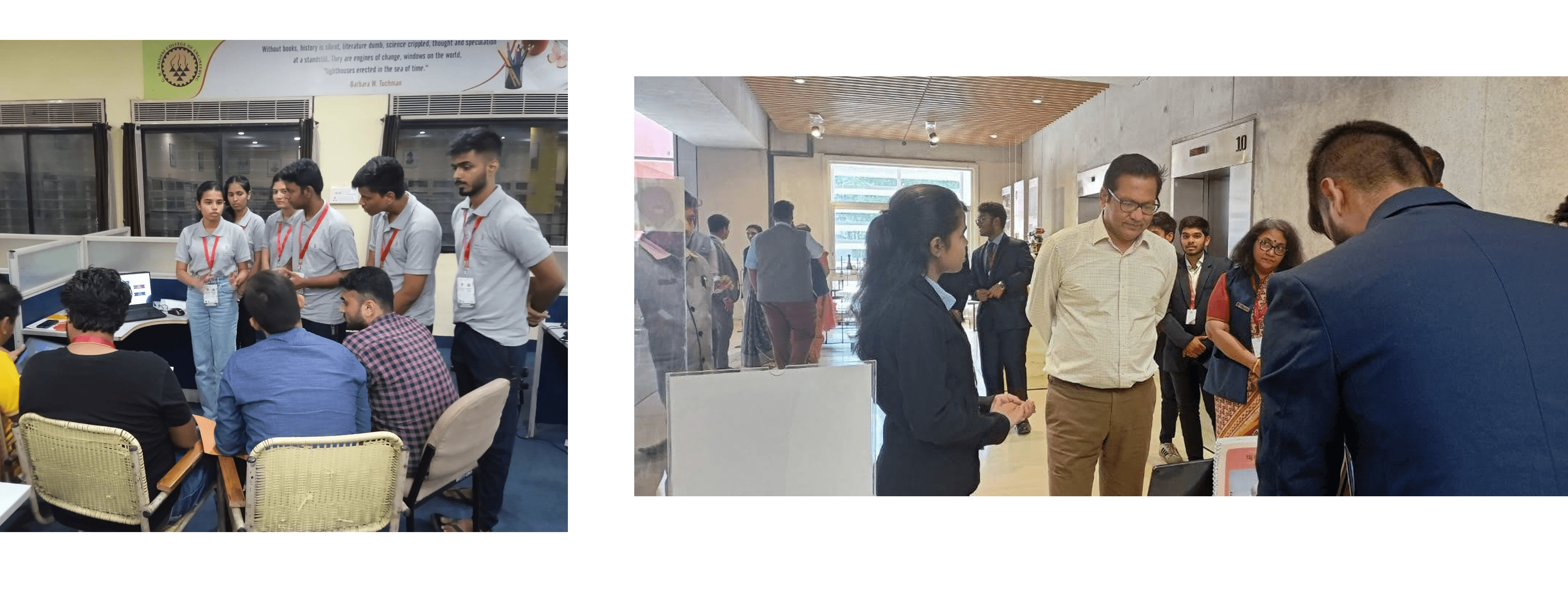
Some snippets from real project and competition